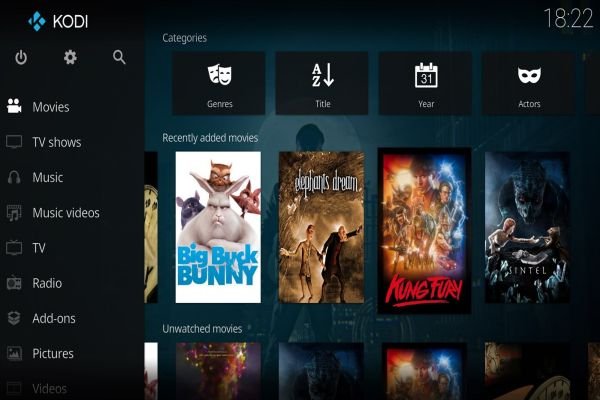
The Scrubs v2 add-on, which belongs to the JewBMX repository, is an excellent option for watching movies and TV shows. This add-on is unique because it provides many high-quality free links and doesn’t support Real Debrid as most of the other add-ons do. With a huge amount of free content arranged by different categories and multiple search filters, Scrubs v2 is one of our favorite Kodi add-ons.
It’s that time of the year when we have to prepare for the big day. The 150th Kentucky Derby might be a few months away, but remember, time flies and it’s better to be ready to witness the action than run with the risk of not setting up your equipment in time.
This is one of the biggest horse racing events in the world, where thousands of fans go to see the action in person, and millions of horse racing fans are watching the race on their TV or other portable devices.
The Kentucky Derby has always been a difficult race to secure a broadcast, especially if you are a non-US citizen. The organizers sell the rights for broadcasting the race overseas to some TV networks like SkySports, which means that the first option to watch the race is to check with your local TV cable provider.
You never know, sometimes a local sports channel might air the race and you’ll save the struggles of setting up an online stream. But for those who cannot get access through a local TV network, don’t worry, you can still watch the race with Kodi.
In today’s article, we will take a look at Kodi’s streaming options and teach you how to watch the Kentucky Derby race step-by-step.
This advancedsettings.xml is used for advanced settings and options that do not have GUI controls inside of Kodi. Those settings can be changed by creating an advancedsewttings.xml file in the userdata folder. However, changing these parameters requires manual authoring of the XML, which is error-prone and not always convenient.
The Unlock Kodi Advanced Settings add-on enables editing of advancedsettings.xml, similar to editing settings of any other add-on.
The support for subtitles on Kodi 20 was developed from scratch to make this feature easier to maintain and to allow new features to be added with less effort. With all the updates and improvements, also the handling of fonts was changed. Many people have a preferred font they often use or fonts required for foreign languages, so adding a new subtitles font to Kodi is crucial. In this tutorial, we will explain how to add subtitles font to Kodi.
Kodi, an open-source media player, has revolutionized the way we stream and organize digital media. Known for its versatility and customization, Kodi offers a unique viewing experience, but like any technology, there’s always room for enhancement.
As of now, millions are tapping into Kodi’s potential to transform their entertainment setup, yet many are unaware of how to fully optimize their experience. Whether you’re a seasoned Kodi user or just starting out, understanding how to maximize its features can significantly enrich your streaming and media playback.
In this guide, we’ll explore three effective ways to elevate your Kodi experience, ensuring smoother performance, better organization, and enhanced overall enjoyment of this powerful media tool.
If you don’t want to miss anything on TV, like your favorite show, the ability to record live TV is essential. Moreover, you can change the streaming method to timeshifting, meaning pause, rewind and fast forward for live TV, and get a much better viewing experience. A DVR can provide all this functionality, but there is an excellent alternative based on software.
The alternative is called NextPVR, which is a personal video recorder software built on a client-server model. It includes all the TV functions you’d expect, like live TV, TV guide, recordings, search and scheduler. The NextPVR client is available for Kodi, allowing you to access your recordings stored on the NextPVR server. The server and client must be connected to the same local network for this to work. The supported platforms for the server include Windows, Linux, Mac and Docker.
Residential rotating proxies are a step above providing true online anonymity. Unlike their common counterpart—the datacenter proxies—residential rotating proxies leave no indication to the internet that their client is using a proxy in the first place. With this come a number of unique benefits that we will discuss in this article.
Let’s start by taking apart the term “residential rotating proxies” to consider how each constituent contributes to its functionality.
Today, taking pictures is no longer just about creating memories; it’s also about exploring a cyberspace of privacy issues. However, the use of technology comes with new risks to photographers. This article looks at the ten major cybersecurity challenges photographers face. You will discover ways to safeguard your job and creative endeavors in the current digital era, ranging from data privacy to phishing. Come along with us on this path where art and technology meet, where protecting your images is as important as shooting them.
As we enter 2023, Kodi enthusiasts are eager to enhance their streaming experience with the latest and greatest add-ons. Whether you’re a movie buff, sports fanatic, or someone who loves exploring diverse content, the right add-ons can transform your Kodi setup. This article delves into the top Kodi add-ons for 2023, providing an in-depth overview of their features, pros, and cons. This guide aims to help you make informed choices and elevate your Kodi streaming to new heights.
Additionally, for those looking to add an extra element of excitement to their entertainment, consider checking out the thrilling play bitcoin crash game to add a unique gaming experience to your Kodi setup.
Torrentio is widely considered the single best addon for Stremio, and it is our top recommendation for watching movies and TV shows.
While Stremio provides the sleek interface, Torrentio is the engine that does the heavy lifting. Unlike other addons that only search one or two sources, Torrentio is an all-in-one scraper that searches dozens of torrent sites and trackers simultaneously. It stands out because of its incredibly fast speed and massive content library, finding almost any movie or TV show from the latest blockbusters to old classics. It is also highly customizable, allowing you to filter out low-quality cinema recordings, and it integrates perfectly with Real Debrid for buffer-free 4K streaming.
Without Torrentio, Stremio is basically empty. In this guide, we will show you how to configure it for the best possible experience. If you are just getting started and need help setting up the app itself, check out our complete guide to Stremio.